Group access settings
If you have many participants joining a group, it can be very time-consuming to manually add all the course participants into a group. The group access settings allow you to define a set of criteria for how a user gains and maintains access to your group and associated courses. This article will go through all the options, including payment settings, free access, prerequisites,
TABLE OF CONTENTS
Locating group access settings
- Navigate to SIMPLYLEARN > GROUPS
- Click on the group you want to edit
- Click on the Settings tab at the top of the page
- Locate the section titled “Group Access Settings”
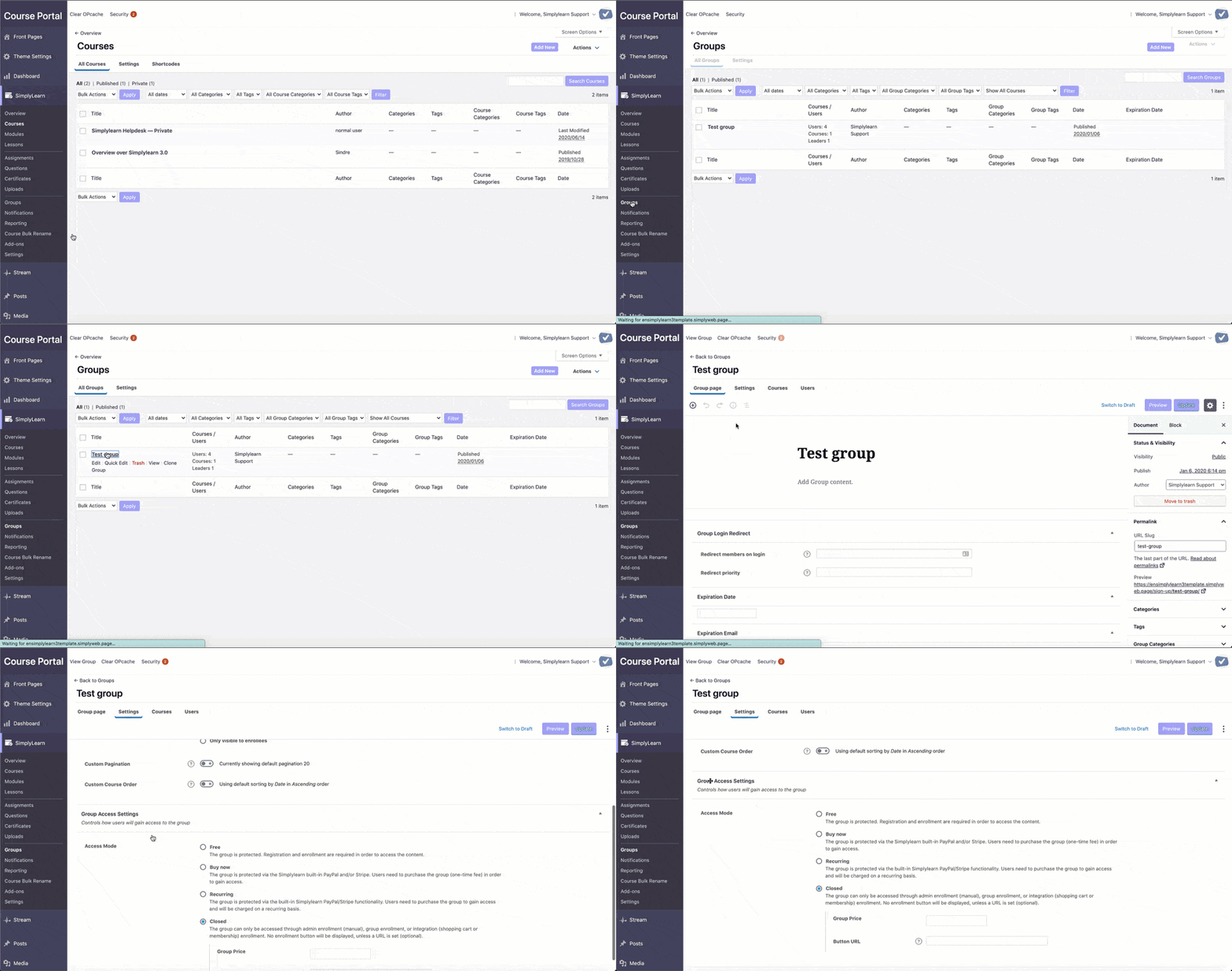
Group access mode
Access mode is how you determine the way in which someone can gain access to a group (free with registration required, one-time payment, recurring subscription, admin-enrollment, etc.). Simplylearn has four group access modes available.
Free
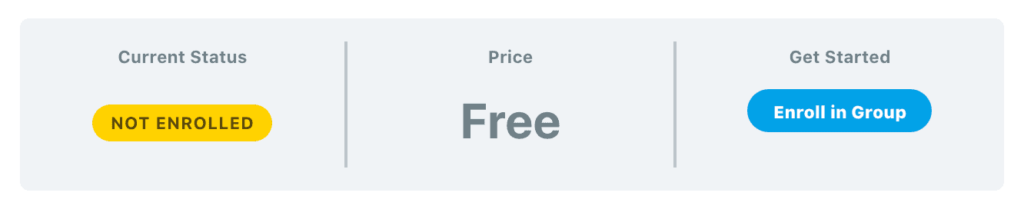
The Free access mode is a good choice if you want users to self-enroll into the group. The following rules apply:
- Must be registered/logged in to access
- No payment is required
- “Enroll in Group” button is shown to users not yet enrolled. They are sent through the registration process. See login & registration for more details.
Buy Now
If you want to take payment for access to your groups, choose this access mode. The following rules apply to Buy Now (one-time payment) groups:
- Must be registered/logged in to access
- Requires a one-time fee to be paid (no free access)
- Only works with the following payment methods: PayPal, Stripe & 2Checkout
Recurring
Recurring is very similar to Buy Now, except for recurring payments (as opposed to one-time payments).
The following rules apply to Recurring groups:
- Must be registered/logged in to access
- Requires a recurring fee (choose a billing cycle in X days, weeks, months or years)
- Only works with the following payment methods: PayPal, Stripe & 2Checkout
- Do not use if selling group access via a shopping cart or membership plugin (see Closed option below)
Note: For both “Buy Now” and “Recurring” access modes, the user will be automatically enrolled into the group upon a completed payment.

Related Articles
Course access settings
The course access settings allow you to define a set of criteria for how a user gains and maintains access to your course. We’ll go through all the options, some of which include one-time payment, recurring payments, free access, prerequisites and ...Group page
The Group Page content area is where you add a group title, description, and featured image for your group. This is what people will see before they enroll in (or purchase) access to the group. Simplylearn will automatically add a course table with a ...General Settings
The settings will ONLY be visible for users with Administrator capabilities. The General tab contains the majority of Simplylearn's global settings. It is organized into the following sections. Design & Content Elements Admin User Settings REST API ...Group report
With our reporting tool, it is very easy to filter our reporting data by a specific group. You then have the ability to look at data across all courses that the group has access to. User reports for specific users in your group are also available. To ...Create a registration page for groups
The most efficient way to enroll students into groups is to create a landing page for the group and provide the students with the URL. Students can then click the link and enroll in the group. To collect the group registration link, (1) click into ...