Create a registration page for groups
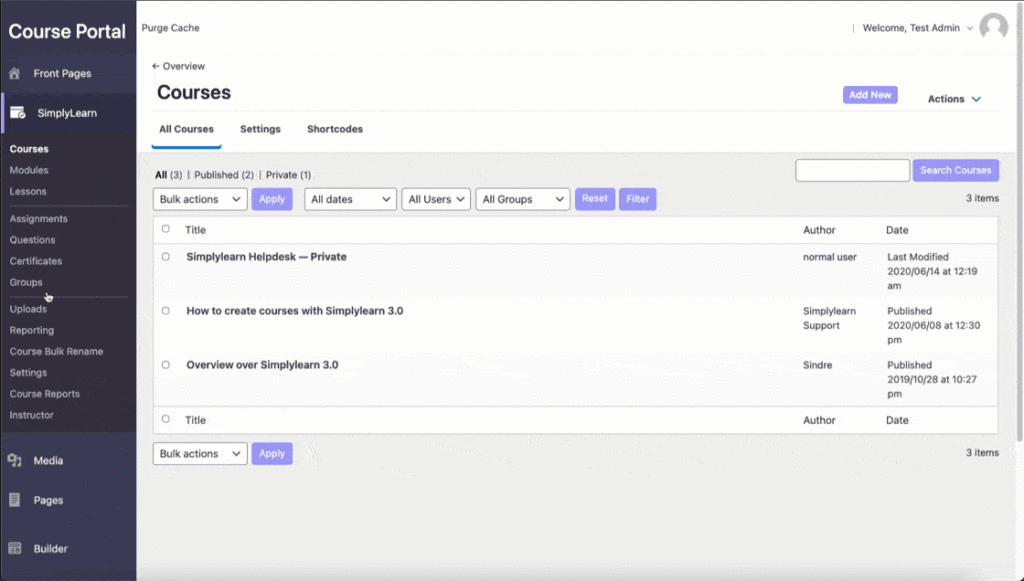
The most efficient way to enroll students into groups is to create a landing page for the group and provide the students with the URL. Students can then click the link and enroll in the group.
To collect the group registration link, (1) click into your group, (2) collect the permalink for the group in the sidebar. See graphic below for demonstration on collecting the URL.
Edit the registration page
Do you want to edit registration page? Simple, just add your content with the main text editor.
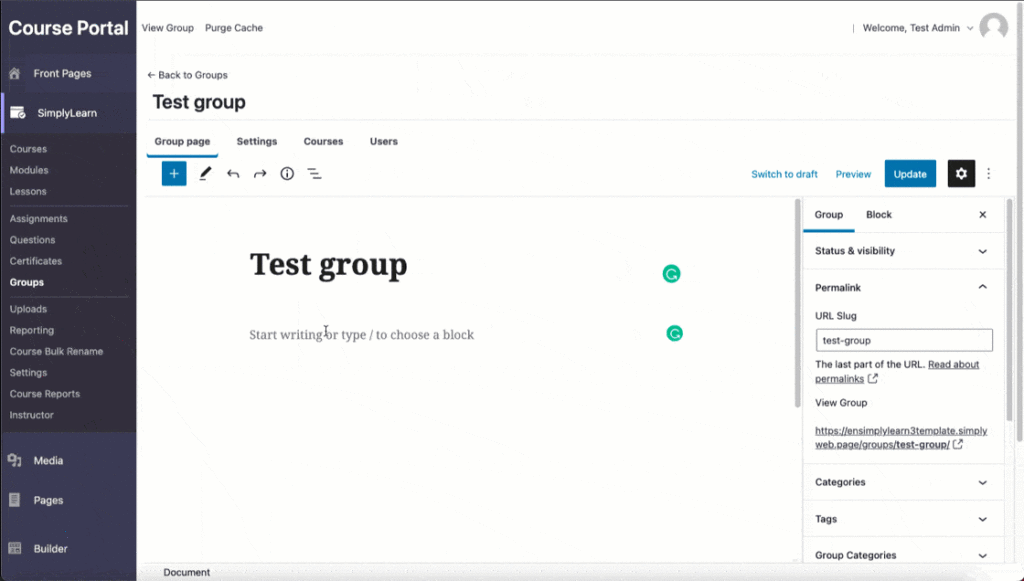
Also, be aware of the group access settings. This will determine if the students need to create a user or pay for getting access to the group.
Related Articles
How to create groups
Simplylearn Groups give you the ability to group certain users together and assign a Group Leader who can track the progress and performance of any user in their group. Groups can have any number of courses associated with them, and anyone in that ...Group page
The Group Page content area is where you add a group title, description, and featured image for your group. This is what people will see before they enroll in (or purchase) access to the group. Simplylearn will automatically add a course table with a ...Bulk registration for groups
Group access settings
If you have many participants joining a group, it can be very time-consuming to manually add all the course participants into a group. The group access settings allow you to define a set of criteria for how a user gains and maintains access to your ...Shortcodes
Shortcodes provide you with additional ways to insert SimplyLearn content into your courses, pages, posts and other custom post types. This article will list SimplyLearn content you can add to your site, and explain how to do it with both a ...