The group leader
The group leader is a user role in SimplyLearn which inherits the ability to:
- view reports on course progress for any user in the group
- view reports on assignment performance for any user in the group
- send email messages to the entire group
How to add a group leader
To add a new group leader to your course, you need to be logged in as an admin.
- Hover over “Users”, click on “Add New User”
- Fill in the required information.
- Choose “Group leader” as a role.
- Click “Add New”.
The role is now created and the user will then get an email where they can set their own password.
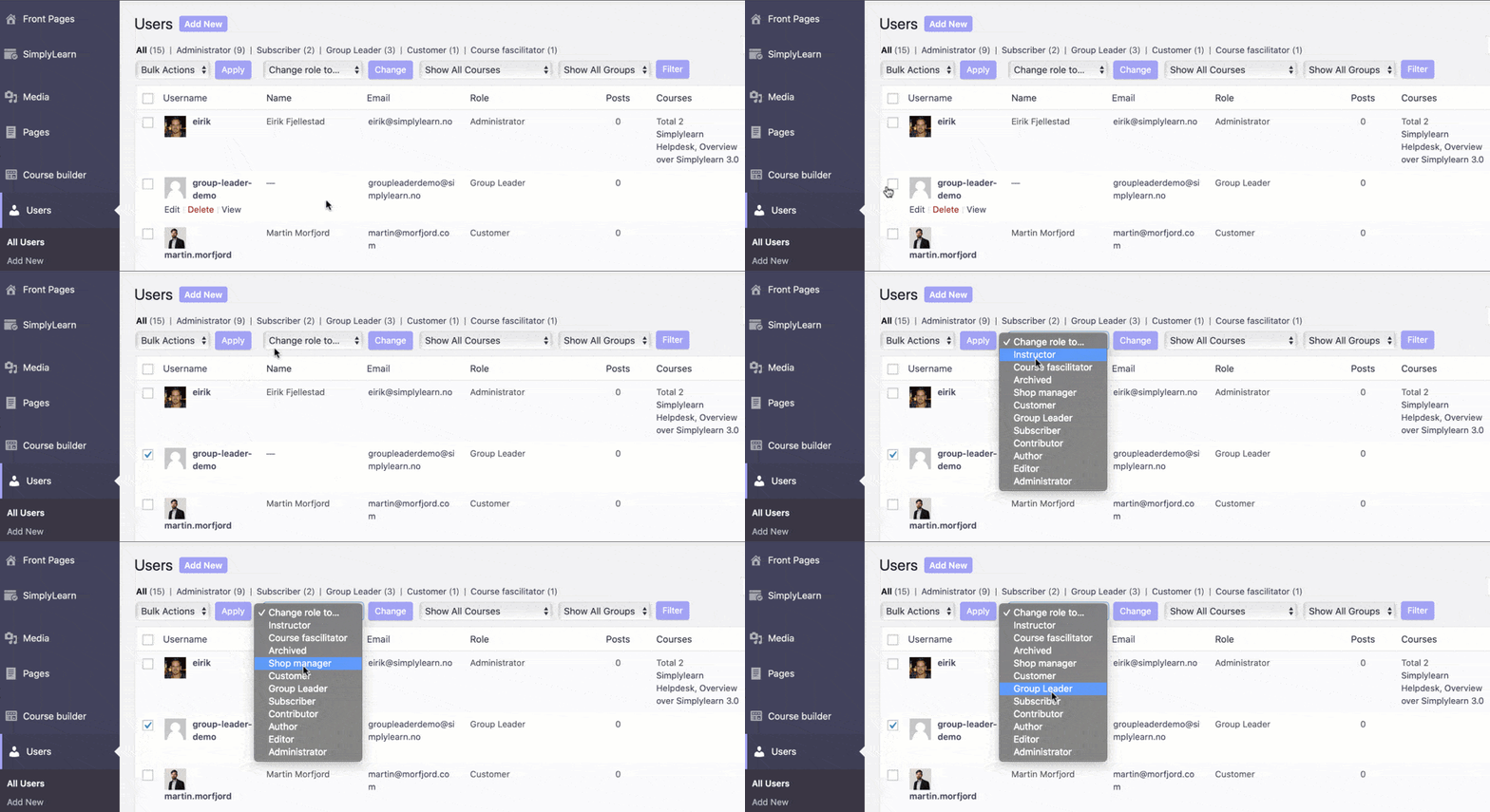
You can also change the role of existing users by following the process below.
Watch the progression of your group members
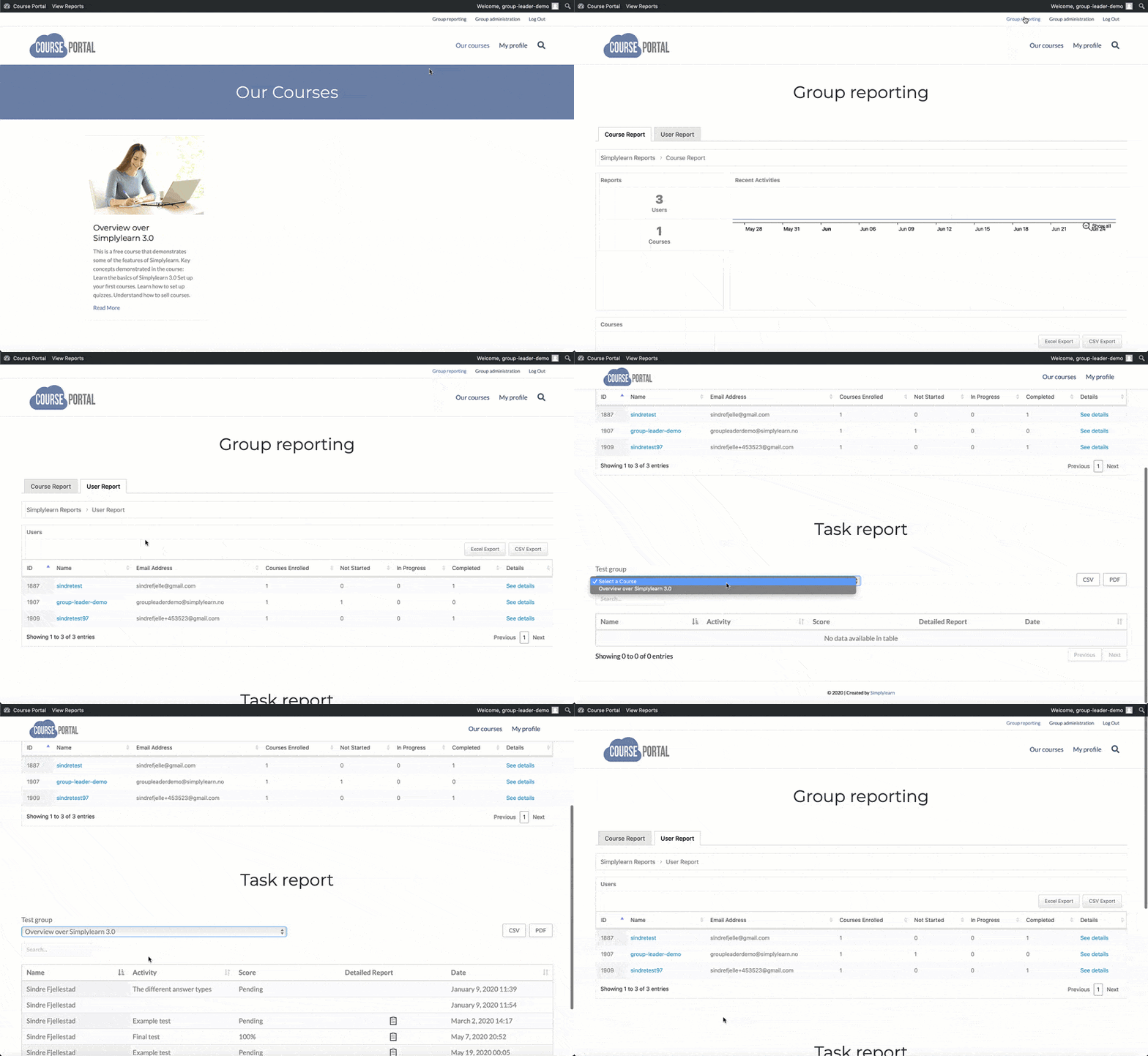
By using the “group reports” you can monitor the progress of your course participants. You can see how far in the course your group has come together, or see how far each individual in the group has come.
From this page, you have the opportunity to:
- View user activity and download user reports.
- View the group’s total activity in specific courses and download course reports.
- Communicate with the group by commenting on open text responses.
Manage your groups
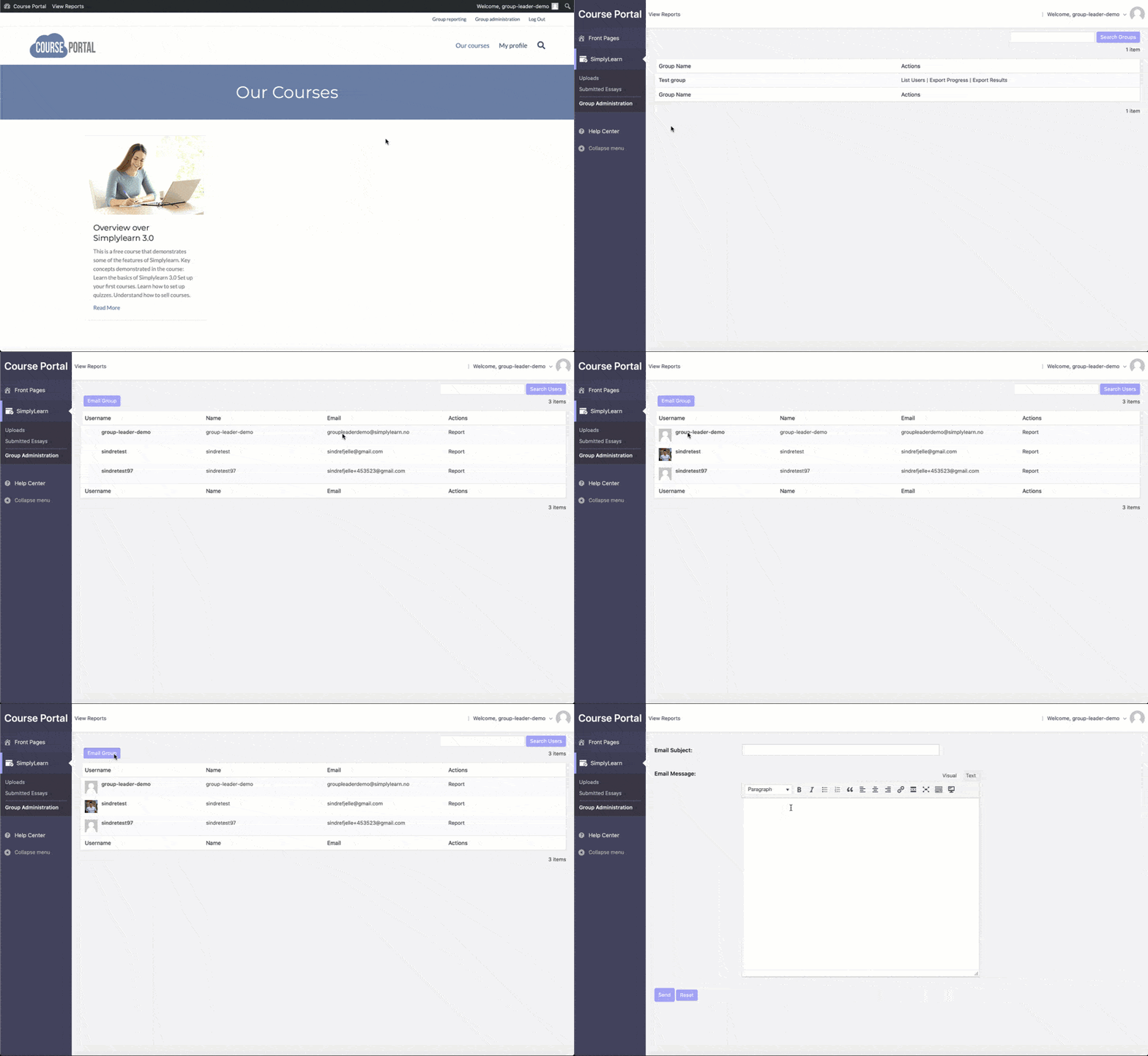
If you are the group leader for multiple groups, you can see a complete overview of this via the “group management” link. At this link, you will see all the groups you manage and have the opportunity to see the group members in each group. From this page, you can also email your entire group.
Related Articles
The group leader
The group leader is a user role in SimplyLearn which inherits the ability to: view reports on course progress for any user in the group view reports on assignment performance for any user in the group send email messages to the entire group How to ...Group report
With our reporting tool, it is very easy to filter our reporting data by a specific group. You then have the ability to look at data across all courses that the group has access to. User reports for specific users in your group are also available. To ...Group page
The Group Page content area is where you add a group title, description, and featured image for your group. This is what people will see before they enroll in (or purchase) access to the group. Simplylearn will automatically add a course table with a ...How to create groups
Simplylearn Groups give you the ability to group certain users together and assign a Group Leader who can track the progress and performance of any user in their group. Groups can have any number of courses associated with them, and anyone in that ...Group access settings
If you have many participants joining a group, it can be very time-consuming to manually add all the course participants into a group. The group access settings allow you to define a set of criteria for how a user gains and maintains access to your ...