Course structure
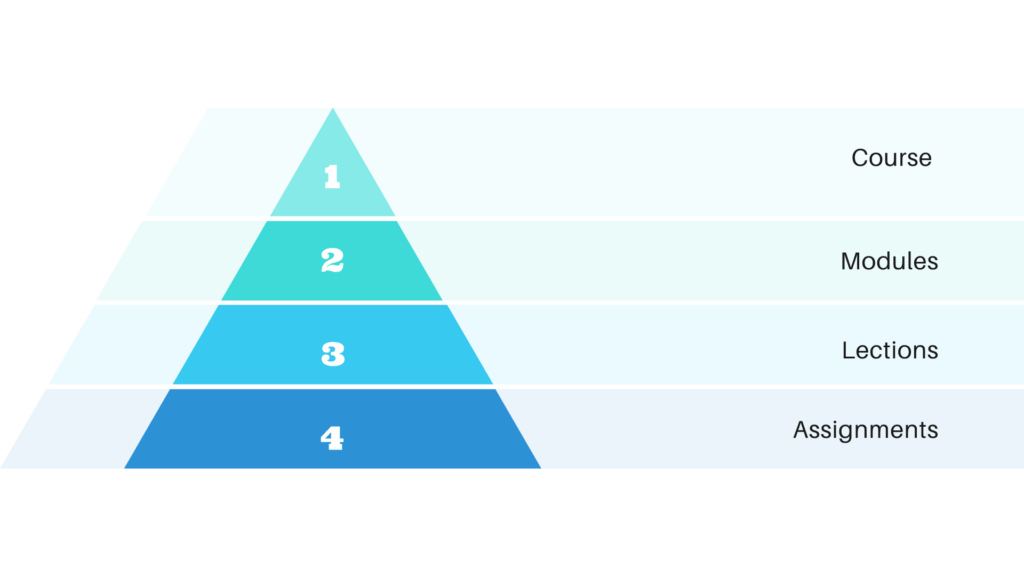
Before you start creating courses with Simplylearn 3.0 it could be quite helpful to understand how the courses are structured:
- The top-level is naturally called “Course”.
- The next level is «Modules». The Modules are linked to the course and can optionally be grouped into «Sections».
- Below modules are “Lessons”. Lessons are assigned to Modules.
- Finally, there are “Assignments”. Assignments can be assigned to a Module or a specific Lesson.
Related Articles
Course report
To get access to the course report, go to SimplyLearn –> Reporting Overview You will then see an account for all courses on your site. From this menu you can see reports from specific courses and the users within them. The recent activities chart ...Course certificate
With SimplyLearn you can create custom course certificates. These certificates can be assigned to a course or a test. This article will walk you through the certificate creation process. For some, this process can be a bit advanced. If this is you, ...Manually register course participants into a course
You have the opportunity to manually register course participants into a course. This is very easy to perform and we have outlined the necessary steps. Go to the relevant course. Click on the “settings” tab Scroll down to the “Course users” section. ...Clone a course
Sometimes it can be useful to use a previously made course as a starting point for your next course. You can clone your already existing courses. To do this, perform the following steps. Go to the list of your courses (SimplyLearn –> Courses), then ...The Course Builder
The Simplylearn course builder provides an easy, intuitive way to build out your courses. You can add new sections, modules, lections & assignments without ever leaving the page. This article explains how to use every aspect of the course builder so ...